Connecting Circles With Anchor Positioning
Let's suppose you have two circles randomly placed on the page, and you want to create a connection between them. Sounds like a JavaScript job, but CSS can also do it.
A good overview of what can be possible using modern features such as Anchor Positioning, attr(), container queries, shape(), trigonometric functions, and more!
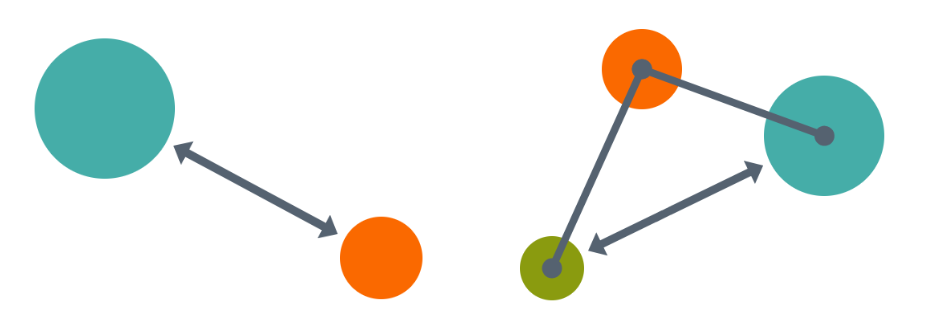
With a simple HTML/CSS configuration, you have an arrow fully controlled using CSS. Not only is the position dynamic, but the shape adjusts according to the distance between the circles. And if they touch each other, the link disappears. Collision detection using pure CSS!
<div class="circle" name="--a" size="150px"></div>
<div class="circle" name="--b" size="100px"></div>

<div class="arrow" x="--a" y="--b" size_x="150px" size_y="100px">
  ...
</div>
Drag the circles in the demo below and see how the arrow behaves:
⚠️ Chrome-only for now ⚠️
See the Pen Connected Circles with Anchor Positioning by Temani Afif (@t_afif) on CodePen.
You can easily have as many circles as you want!
See the Pen Connected Circles with Anchor Positioning by Temani Afif (@t_afif) on CodePen.
More CSS Tips
- A Generator for Random Wavy Dividers Easily get the code of a fancy wavy divider using the shape() function.
- Connecting Circles With Anchor Positioning II Connect circles with arrows and show their distance using modern CSS.
- The Hidden Selectors of The HTML Element Discover alternative selectors for the html element beyond the classic :root{} and html{}.
- Gallery of Skewed Images with Hover Effect Using modern CSS and corner-shape to add a fancy gallery of images with a reveal hover effect.