Input Range Slider with Custom Shapes
Building on a previous idea, here is a more generic implementation of range sliders with custom shapes and tooltips. No JavaScript and a lot of cool CSS features (border-shape, shape(), Scroll-Driven Animations, @property, etc.)
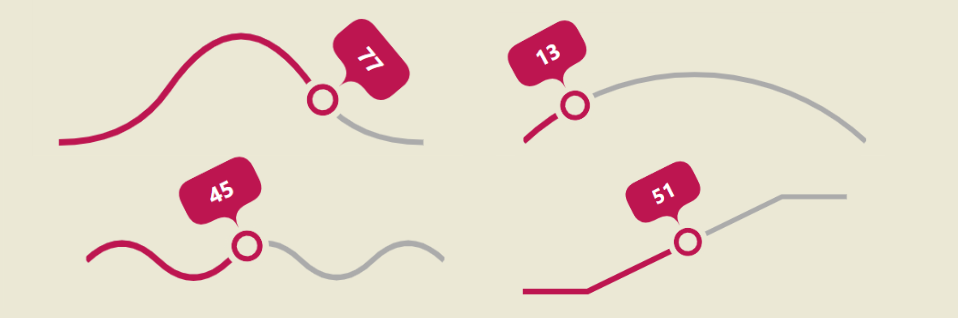
Minimal HTML:
<label>
  Fancy Range Slider
  <input type="range" id="one" min="0" max="100" step="1" value="20">
  <output for="one" min="0" max="100"></output>
</label>
And CSS variables to easily control everything:
label:has(input[type=range]) {
  --c: #BD1550; /* slider color */
  --g: 5px; /* the gap */
  --l: 6px; /* line thickness */
  --t: 45px; /* size of the thumb*/
  --s: 120px; /* size/height of the slider */
  --p: shape(...)  /* the shape of the slider */
}
⚠️ A Chromium-only experience ⚠️
See the Pen Custom shape range slider by Temani Afif (@t_afif) on CodePen.
More CSS Tips
- Implementing children-count() using Modern CSS Using Scroll-Driven Animations to count the number of children.
- Random Blob Shapes Combining shape() and random() to create unique blob shapes.