Wiggly/Wavy Input Range Slider
Straight range sliders are boring, right? Let's, instead, draw the lines by hand and get some wiggly/wavy range sliders!
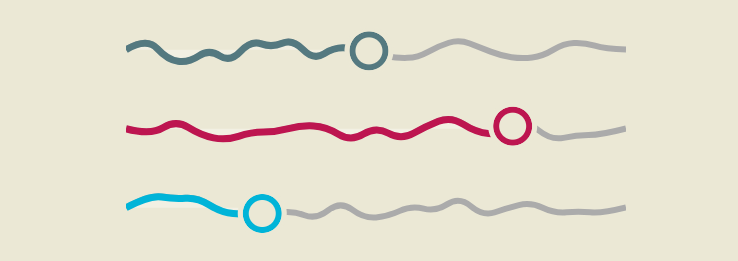
A fancy demo powered by border-shape, Scroll-Driven Animations, @property, and more!
The HTML code is nothing but the native <input> element. No extra element and, of course, no JavaScript.
<input type="range" step=".2" max="20" value="10">
<input type="range" value="80">
<input type="range" min="-10" step=".1" max="10" value="-5">
⚠️ A Chrome-only experience ⚠️
See the Pen Wiggly/Wavy Range Slider by Temani Afif (@t_afif) on CodePen.
You can easily control everything by adjusting a few CSS variables:
input[type="range"] {
  --s: 30px; /* size/height of the slider */
  --t: 45px; /* size of the thumb*/
  --l: 6px; /* line thickness */
  --c: #547980; /* main color */
  --p: shape(...); /* shape of the line  */
}
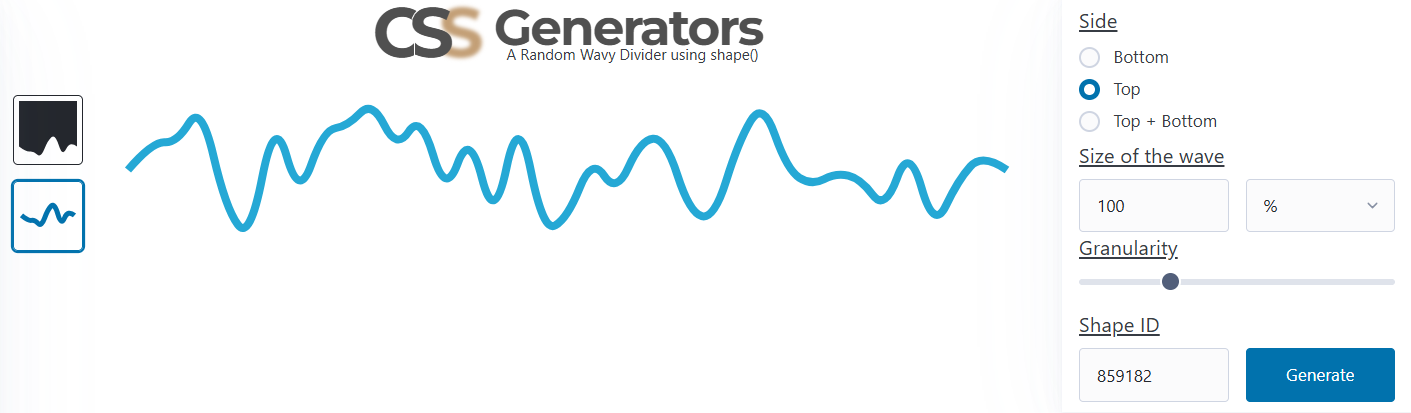
You can get the line's shape using my wavy divider generator. Pick the border-only configuration, select "top", and set the size to 100%. Then adjust the granularity and click generate!
More CSS Tips
- background-clip is getting an upgrade! Learn about the new values of the background-clip property.
- Wiggly/Wavy Input Range Slider II Adding a bouncy tooltip to the wiggly slider.
- Bending a Straight Line using Modern CSS Using border-shape and anchor positioning to create a bending line between two circles.
- Connecting Circles With a Curved Line Using border-shape and anchor positioning to create a connection between two circles.